
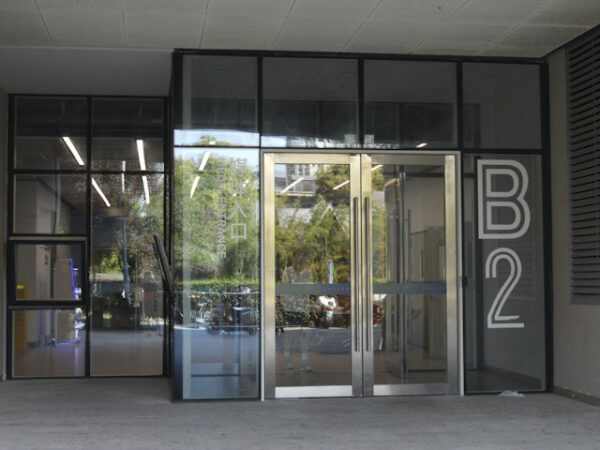
Have you considered the way we enter buildings today? In my apartment, I use a fob to get past the front door, the same fob for elevator access, and the same fob to open our apartment front door. The device is specifically programmed to allow me access to common areas of the building reserved for exclusive tenant use. It means the only key I use is to open my mailbox.
Today, exterior access to buildings and interior corridors and floors can be a trial when the technology being used is antiquated. Manual approvals, removing past employee permissions, and limited human resources are a drag on businesses. Antiquated onboarding makes security teams responsible for keeping buildings and occupants safe, creating repetitive work.
Modern access management systems connect entry permissions to everyday business processes. They give administrators a clear view of who can enter a space, when access expires, and how to handle unusual events. The results produce faster service for employees and contractors, along with more consistent oversight across one or more buildings or a global property portfolio.
Old Systems, New Problems
Onboarding today is digital. Even legacy systems depend on local servers, separate databases and physical credentials programmed one at a time. When an employee changes departments, someone needs to update several applications manually. If steps get missed, the employee can lose access to a needed workspace or retain permissions that no longer match the job.
To bring property access management up to date, businesses need to start by documenting the current access process from the beginning to removal requests. That includes:
-
- Recording who approves changes,
- How long each step takes,
- Where staff re-enter the same information.
This review should cover identity lifecycle management, including the creation, modification and closure of employee identities, revealing where the existing systems create avoidable work.
Automating Entry and Exit
Automating access rules assign access based on a person’s role, location, schedule, or employment status. Temporary credentials can be programmed to expire automatically after a contractor’s final shift. This removes the need for staff to remember a follow-up task.
To evaluate door access control systems, look for centralized monitoring, customizable dashboards, map-based views and automated incident processes.
Piloting a New System
Before replacing an existing access system, useful measures include average approval time, manual touches per request, first-day access failures, expired contractor accounts and hours spent preparing audit records. Compare these figures 30, 60 and 90 days after first deploying a small pilot for a single location or employee group.
Operational data needs context. A drop in help desk tickets may reflect the advantages derived from the new access technology. It also, however, can indicate that employees stop reporting recurring problems. So you need to review ticket volumes alongside resolution times, denied-entry events and employee feedback.
These measures help teams refine rules and show where the new system is saving time.
Test whether the new system issues access after approval, limits entry to scheduled hours and removes permissions on set dates. The dashboard should separate routine denials from patterns that need investigation, such as workflow gaps or repeated access attempts in an unexpected location. Once proven, roll out the access management process organization-wide.
Streamlining Workflows
Access requests frequently move through email threads, spreadsheets and service tickets. Each handoff adds waiting time and makes it harder to see who owns the next decision. A digital workflow can route a request to the correct manager, apply predefined rules and create an audit record without repeated data entry.
Map common requests before configuring automation. New hires, department transfers, visitors and maintenance contractors usually need different approval paths. Set deadlines for approvers and send reminders when requests remain unresolved. Exception handling also needs a clear owner. If a credential fails during a scheduled shift, the facilities team should see the person’s status, assigned site and recent access events in one view, then document the resolution in the same workflow.
Integrating HR for Seamless Onboarding
Integrating human resources (HR) with physical access management streamlines onboarding new employees. When HR confirms a start date, an automated process can prepare the appropriate access profile and schedule activation for the employee’s first day. A department change can trigger revised permissions, while a recorded departure can disable access at the required time.
Keep data exchanges narrow and purposeful. Access teams may need a worker ID, job role, assigned location, manager and employment status, but they rarely need an entire personnel file. Follow zero trust architecture principles by granting only the permissions each role needs and re-evaluating them throughout employment. Reconcile HR and access records regularly so inactive accounts, duplicate identities and incorrect assignments appear before they cause operational problems.
Measuring Operational Impact
Even a next-generation platform still needs regular review after the initial rollout. It is good practice to assign approval rules, integrations, credential standards and exception procedures to system owners. Quarterly access reviews should confirm that all permissions still match employee job responsibilities, while monthly reports can identify unused accounts or temporary access that lasts longer than planned.
Technology delivers the strongest operational gains when policies remain easy to understand. Employees should know where to request access, managers should know what they’re approving, and administrators should have a documented response for failed integrations. Once those responsibilities are clear, access data becomes a practical management tool instead of another isolated business security record.