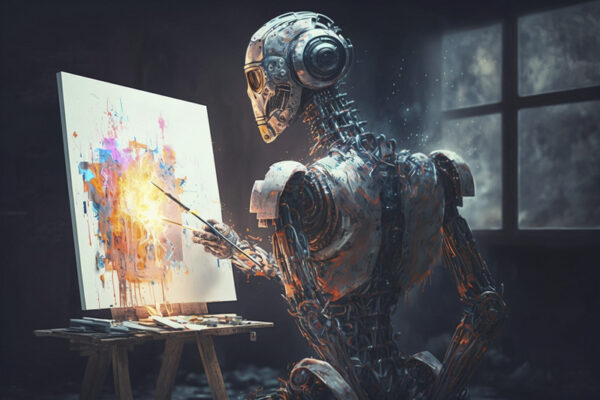
Marketing image creation is changing as artificial intelligence (AI) alters creative workflows. When AIs first started pumping out images, the method was simple. You asked an AI to create a picture based on what you needed, and it generated something. It was often a miss more than a hit. It demonstrated, however, that AI image generation was possible.
Today, AI image systems are part and parcel of marketing strategies, helping with product design, e-commerce, publishing, and social content. The question is no longer whether a model can create a beautiful picture. Now it is whether a team can move from a rough image idea to a usable visual asset with control, review, iteration, and consistency to support real work.
In other words, AI image generation is moving from a novelty and a shortcut for making eye-catching pictures to real utility. It is moving from a one-off generator to a part of the creative workflow.
It Starts With a Prompt
Prompts need to define the subject, format, mood, composition, lighting, and purpose of an AI-generated image. In the production process, however, first prompt attempts rarely produce the final product. Turning words into pictures on a page is more difficult than pictures in our mind.
A marketer may need a picture in landscape mode for one image and a very different shaped image for social media and promotional print. A designer may need a product image that remains the same while changing backgrounds. An e-commerce team may need several visuals to choose from to match a campaign. A publisher may need an editorial image that leaves room for a headline and avoids fake text.
Those image creation processes require selection, refinement, format changes, and sometimes different models for different tasks.
That is why the workflow around the model has become just as important as the model itself.
Creatives Need More Choice
Text-to-image generation is useful when the team is starting from an idea. It can quickly produce visual directions for a blog hero, ad concept, product mood board, or campaign draft. The user describes what should exist, and the model creates a first version.
Image-to-image editing is different. It starts from an existing visual. That might be a product photo, a reference style, a rough layout, a previous generation, or a brand asset. The task is not to invent everything from scratch, but to preserve some structure while changing specific parts.
Reference-based refinement sits between those two modes. A team may want the energy of one image, the colour palette of another, and the subject from a third. In that case, the creative process becomes a negotiation between prompt language and visual input.
This is one reason multi-model platforms are becoming useful. A workflow may start with a prompt-led model, then move to a reference-heavy editing model, then finish with manual review and design cleanup.
A platform such as Image 2, which brings multiple AI image workflows into one place, reflects this shift from isolated model calls toward practical creative production. A creator can use one workflow for complex prompt-led visuals, then compare it to other workflows when the job depends more on references, edits, or layout preservation.
The important point is not that one model is universally better. The better question is which workflow fits the task.
Purpose-Built Visual Briefs
One change I expect to see more often is the use of visual briefs instead of simple prompts.
A simple prompt might say: “Create a futuristic workspace for an AI product.”
A production brief is more specific: “Create a wide editorial hero image for an article about AI-assisted design workflows. Show a clean creative studio, generated image variants on a large screen, reference images nearby, and a polished final preview. Leave a space in the upper left for a headline. Avoid readable text, logos, brand names, and clutter.”
The second version is not just longer. It describes the asset’s purpose. It tells the model how the image will be used, what must be avoided, and what design constraints matter later.
This is where AI image generation starts to resemble art direction. The user is not just asking for a picture, but rather providing shape and context to the deliverable.
Human Input Still Matters
As AI-generated visuals become easier to produce, review becomes more important, not less.
There are several reasons for this.
- Generated images can include fake interface details, unreadable text, distorted objects, unclear product implications, or visual elements that do not fit the brand.
- Even a polished image may be wrong for the job if the composition does not leave room for copy or if the mood does not match the audience.
- Commercial usage rights, likenesses, trademarks, and platform terms must be acknowledged, while images may need legal, brand, or editorial review.
The safest workflow is to treat AI output as a draft that can accelerate the process, not as a final asset that bypasses judgment. A good AI-generated image can save time by giving the team a strong first direction. It does not remove the need to inspect the result.
Model Choice Becomes a Production Decision
As more image models become available, teams may be tempted to compare them only by visual quality. That is understandable, but incomplete.
For real production, model choice also depends on the task:
- Does the image need to follow a detailed prompt?
- Does it need to preserve a product shape or reference subject?
- Does it need to handle layout-heavy composition?
- Does the team need several aspect ratios?
- Does the result need to be edited again?
- Does the workflow support the required review and storage process?
A model that works well for one job may not be ideal for another. A campaign mood board, a product visual, a poster, and a reference-based edit are different tasks. The practical value is in choosing the right path for each one instead of forcing every request through the same tool.
This is also why the interface around the model matters. If users have to jump between disconnected tools, copy prompts manually, re-upload references, and manage downloads in separate places, the creative process becomes fragmented. A unified workflow can reduce that friction.
The Next Step: Repeatable Creative Systems
The next stage of AI image generation will likely focus on repeatability.
Teams will want reliable ways to create image variations, keep visual direction consistent, reuse references, compare outputs, and manage approved assets. They will also want clearer links between prompts, source images, selected models, final results, and usage rights.
That does not mean every creative process should become rigid. Good visual work still needs experimentation. But there is a difference between useful experimentation and chaotic file management.
A repeatable workflow helps teams know what happened:
- what prompt was used
- which reference image guided the result
- which model created the output
- which version was approved
- where the final file is stored
- whether the image can be used commercially
These operational details are easy to ignore during a quick demo. They matter a lot when teams publish frequently.
AI Images Become Part of the Creative Stack
AI image generation is no longer only a novelty or a shortcut for making eye-catching pictures. It is becoming one layer in a broader creative stack that includes planning, prompting, reference gathering, model selection, editing, review, storage, and publishing.
That shift changes how we should evaluate these tools. The most useful systems will not be the ones that only produce impressive first drafts. They will be the ones that help people move from an idea to a reviewed, usable, properly formatted visual asset with less friction.
The single prompt is not disappearing. It is becoming the first step in a larger process.
For creators, designers, marketers, and publishers, that is the more interesting development. The future of AI image creation is not just better pictures. It is better workflows for making pictures useful.